 PS Evolution
Auto Manager: apply Tribal Wars Account Manager templates automatically
Auto Manager reapplies the game's Account Manager templates to the villages of each group, at the interval you choose. It works with the Account Manager's three template types: buildings, troops and research.
The game requires a Premium Account and an active Account Manager. You create the templates in the game itself; the app only links each group to a template and applies it.
Step by step
-
Create the templates in the game
In the game's Account Manager, create the building, troop and research templates you want to use. If you build the queue in the app, the Builder has "Export to the game's Construction manager".
-
Load the templates into the app
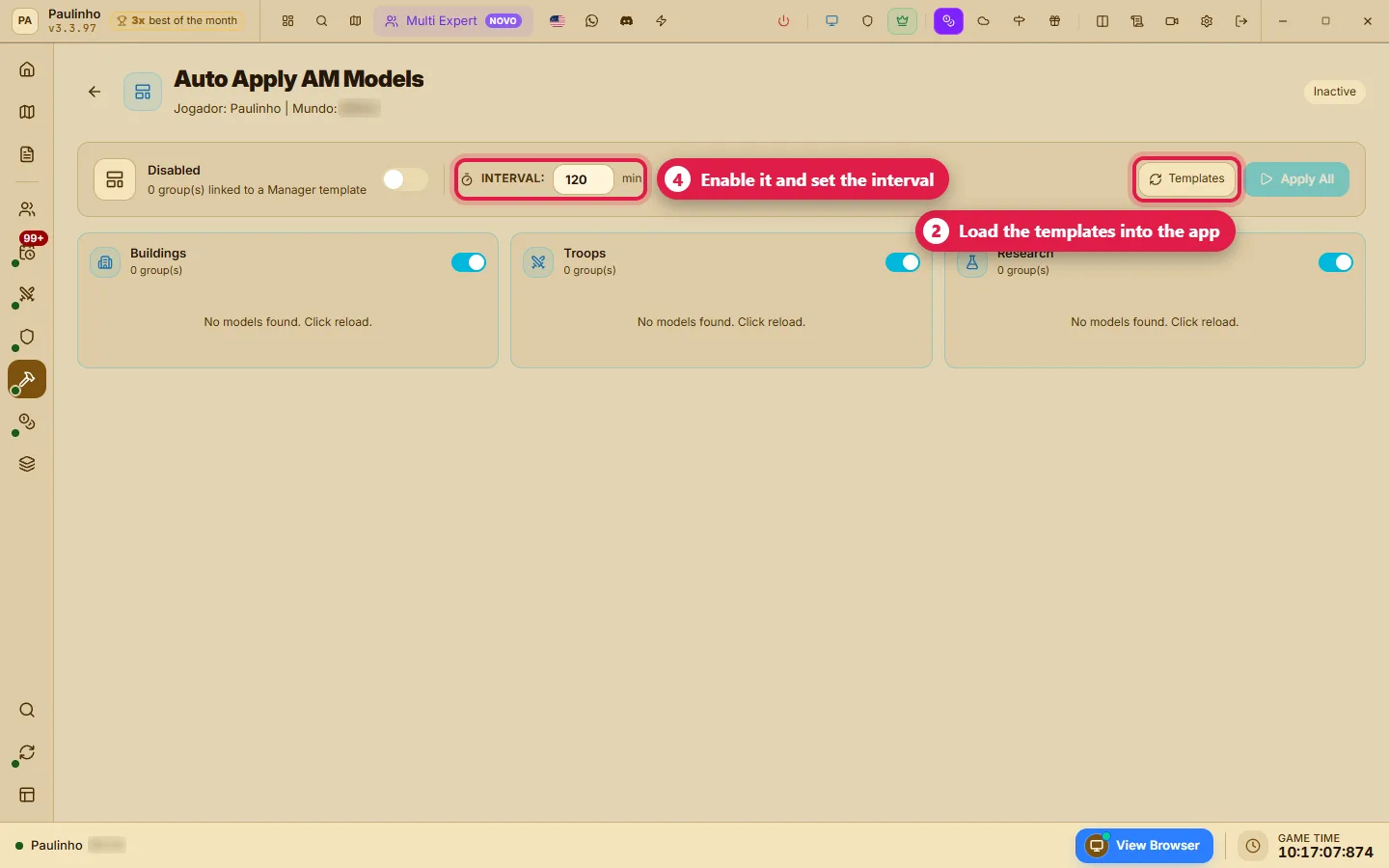
Open Auto Manager with the account connected and click "Templates" (reload AM models). The templates show up in the "Buildings", "Troops" and "Research" columns.
-
Link groups to templates
In each column, click "Add Group -> Model", pick the game group and the template. Turn on the column's switch so it takes effect.
-
Enable it and set the interval
Turn on the switch at the top and set the "Interval:" in minutes (default 120). To apply right away, use "Apply All" or each column's apply button.
What each option does
| Option | What it is for |
|---|---|
| Auto models (all accounts) | From the tool search (Ctrl+K), "Auto models" shows the same setup for every account on a single screen, with a filter by world and domain. |
Tips
- Use Auto Manager when you already organize everything through the game's Account Manager. If you prefer to build the queue in the app, use the Builder and Recruitment.
Common problems
I see "No models found. Click reload."
Create the templates in the game's Account Manager and click "Templates" to read them again. The account must be connected.
The screen warns that the feature requires a Premium Account and the Account Manager.
Activate the Premium Account and the Account Manager in the game and try again.
See also
Do not have PS Evolution yet?
The download is free: download it, create your account inside the app and try everything for 24 hours, no card.