 PS Evolution
How PS Evolution updates itself (and how to update manually)
The app checks for a new version on its own every 5 minutes while it is open. When it finds one, it starts downloading right away and lets you know with a banner at the top. You only choose when to restart.
On Windows and Linux the switch is automatic. On a Mac the app opens the new installer for you to drag to Applications.
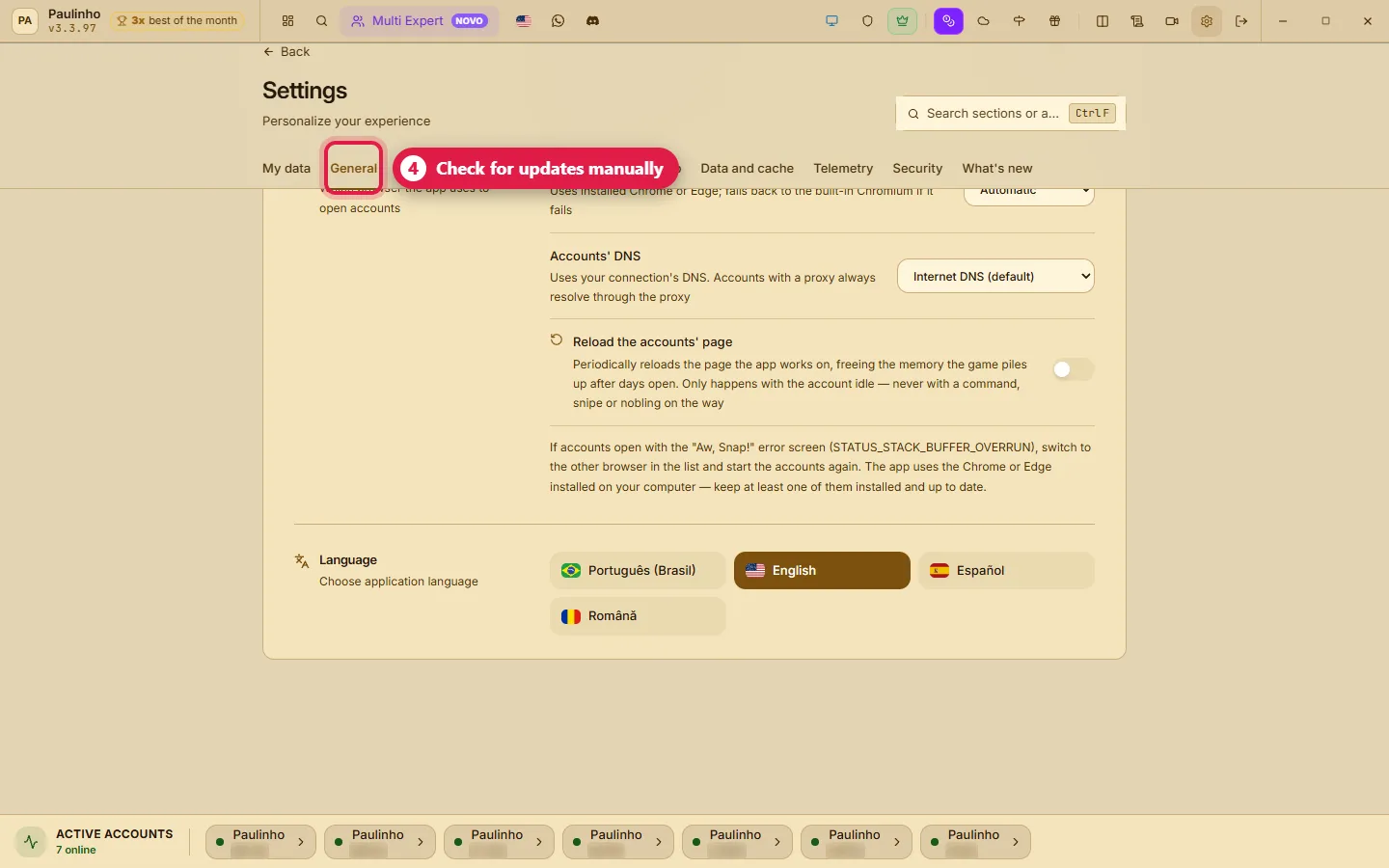
Step by step
-
Follow the download
When a new version is found, the "Downloading v..." banner appears with the progress percentage. You can keep using the app as usual.
-
See what changes
In the banner, click "See what's new" to read what the new version brings (including every version you do not have yet).
-
Restart to install
Once the download is done, the banner shows "v... ready to install". Click "Restart and install". On Windows the app closes, installs and opens again. On Linux (AppImage) the file is replaced and the app restarts. On a Mac the
.dmgopens: drag PS Evolution to Applications, replacing the old one. -
Check for updates manually
In Settings > General, in the "System" group, click "Check" next to "Check and update the app". You see "You are on the latest version" or the new version notice, and the download starts in the corner of the screen.
Tips
- After an update, the app shows "The app was updated to v..." once. The full history is in Settings > What's new.
- Closed the banner by mistake? The download keeps going; the banner comes back when the version is ready.
- The app data (accounts and settings) is kept when you update.
Common problems
I got "Update error"
Click "Try again" in the banner itself. If it keeps happening, check your internet and use "Check" in Settings > General.
I get "Failed to check for updates"
The app could not reach the update server. Check your connection and click "Try again".
I bought a plan and the app asks me to update
Some plans need a newer version of the app to apply the unlocked tools. Update from the notice or from Settings > General > "Check".
See also
Do not have PS Evolution yet?
The download is free: download it, create your account inside the app and try everything for 24 hours, no card.