 PS Evolution
How to farm flags in Tribal Wars by recruiting and dismissing nobles
In Tribal Wars, recruiting a nobleman gives you a flag. Farm Flags repeats this for you: it recruits nobles in the villages of one group and dismisses the ready nobles of another group, freeing room for the next one, in cycles.
The tool requires a Tribal Wars Premium Account and an active account session. The groups are the game's own village groups.
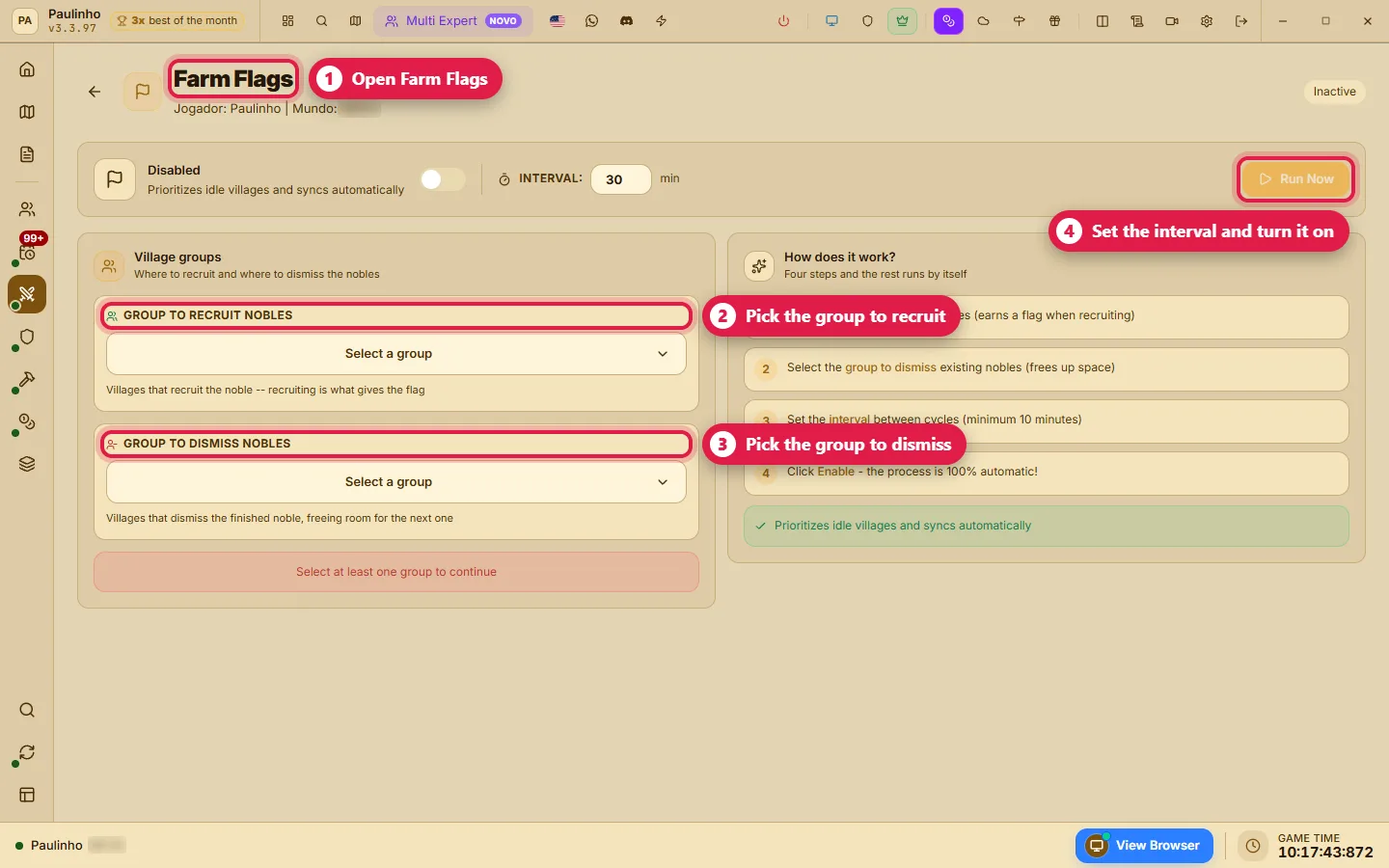
Step by step
-
Open Farm Flags
Pick Farm Flags in the account sidebar, with the account connected.
-
Pick the group to recruit
Under "Group to Recruit Nobles", pick the villages that will recruit the nobleman. Recruiting is what gives the flag.
-
Pick the group to dismiss
Under "Group to Dismiss Nobles", pick the villages that will dismiss the ready nobleman, freeing room for the next one.
-
Set the interval and turn it on
Under the interval, set how many minutes between one cycle and the next (minimum 10). Turn the tool on: the process runs by itself. To run it right away, use "Run Now"; "Last run" shows when it last ran.
Tips
- The tool prioritizes idle villages.
- Create separate groups in the game for recruiting and dismissing: it makes it easier to control where nobles are born and where they go.
Common problems
I see "Select at least one group to continue".
Pick at least one group, to recruit or to dismiss, before turning it on.
The item shows the Premium warning.
Farm Flags requires a Tribal Wars Premium Account on the game account.
Nothing happens in the cycle.
Check that the account session is connected and that the group's villages have what the game asks for to recruit the nobleman.
See also
Do not have PS Evolution yet?
The download is free: download it, create your account inside the app and try everything for 24 hours, no card.