 PS Evolution
How to change the PS Evolution language
PS Evolution works in four languages: Português (Brasil), English, Español and Română. Switching changes every text in the app right away, including dates and numbers, which follow the format of the chosen language.
The app language does not change the game language: each account stays on the server and in the language of the world it plays on.
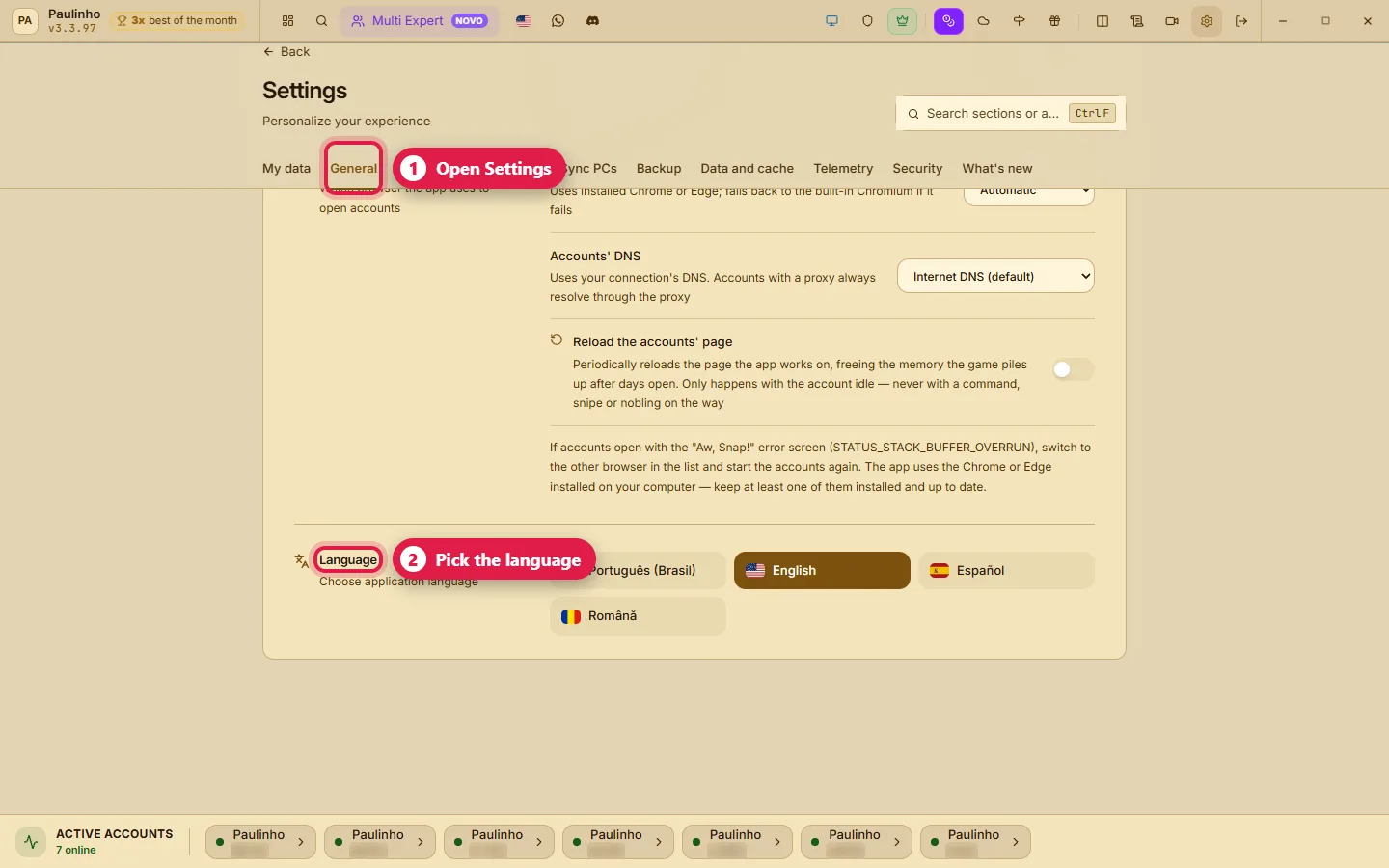
Step by step
-
Open Settings
Click the gear icon in the top bar. In the list on the left, under "Preferences", click General.
-
Pick the language
In the "Language" block ("Choose application language"), click the button with the flag of the language you want. The chosen button is highlighted and the whole app switches language at once.
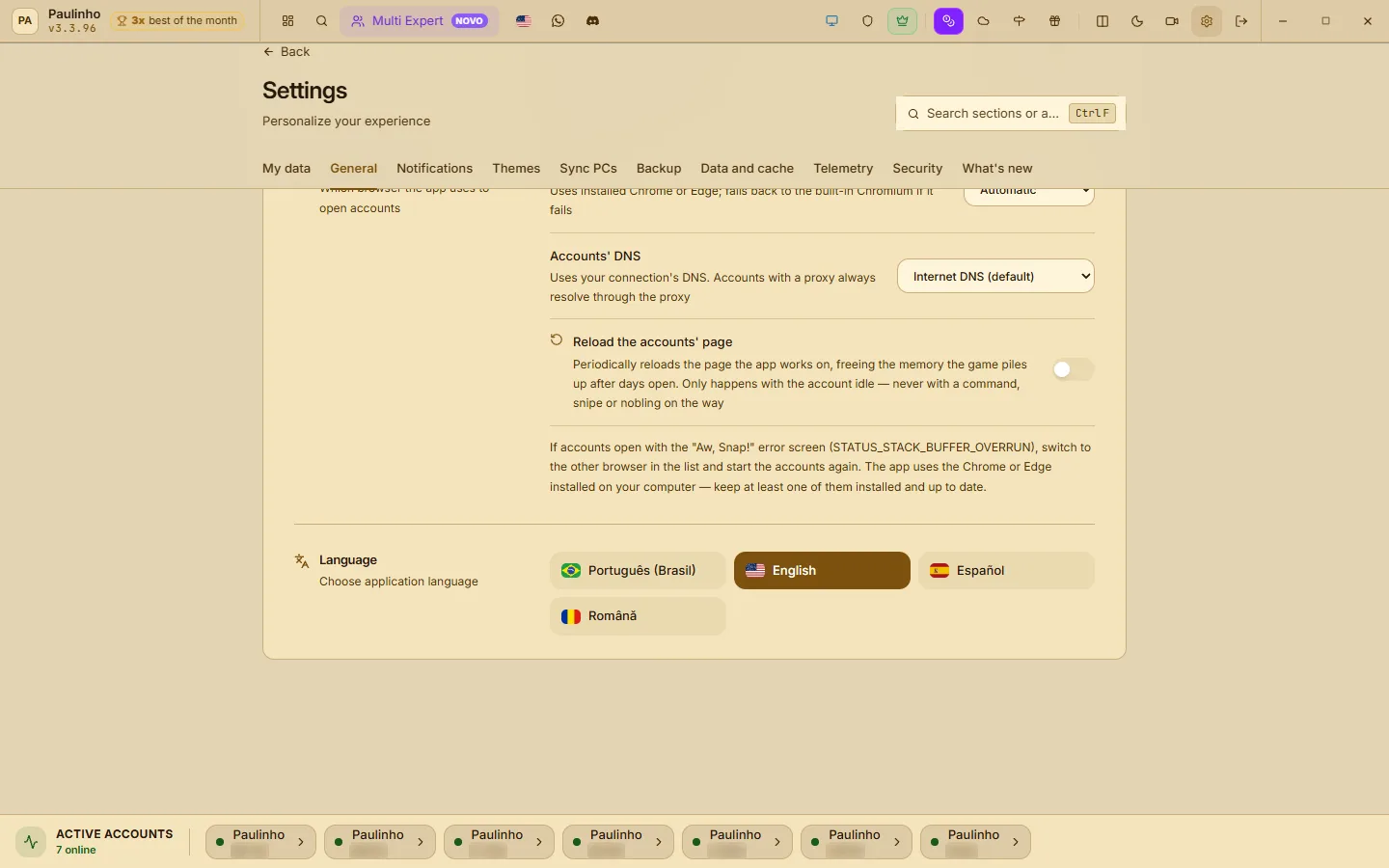
Pick the language
What each option does
| Option | What it is for |
|---|---|
| Português (Brasil) | Text in Portuguese, dates in the Brazilian format. |
| English | Text in English, dates in the US format. |
| Español | Text in Spanish. |
| Română | Text in Romanian. |
Tips
- Switched to a language you don't understand? The gear stays in the same place in the top bar, and the language block shows each language with its flag and its name written in that language.
Common problems
I changed the language, but the game is still in another language.
That is expected: the app language only changes the PS Evolution screens. The game follows the language of each account's server.
I picked another language by mistake. How do I go back?
Click the gear in the top bar, open the first item under the "Preferences" group and click the US or UK flag, "English".
See also
Do not have PS Evolution yet?
The download is free: download it, create your account inside the app and try everything for 24 hours, no card.