 PS Evolution
My subscription in PS Evolution: expiry date, cancel renewal and more accounts
My subscription brings your plan together: name, status, expiry date and days left. If you subscribe with automatic renewal, you manage the billing here.
This is also where you add accounts connected at the same time and find Trust Unlock, which gives you a few days without paying when the license is about to end.
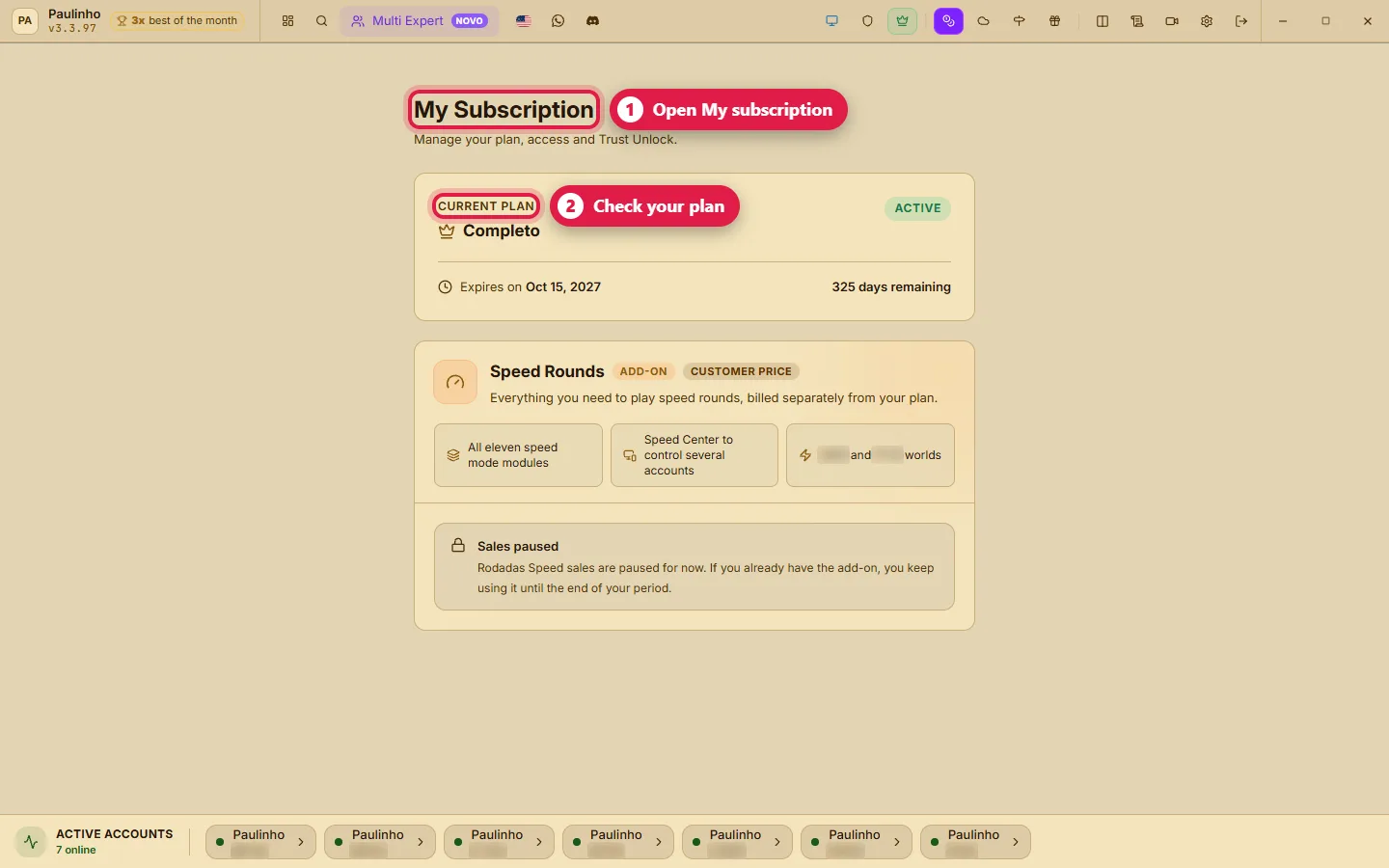
Step by step
-
Open My subscription
Click your plan badge in the top bar, then My subscription. Or press
Ctrl+Kand search for "My subscription". -
Check your plan
The top shows the "Current plan", the "Status" (Active, Expired or Lifetime) and "Expires on", with the days left. To extend it, click "Renew now".
-
Manage automatic renewal
If you subscribe with automatic renewal, the "Active subscription" card shows the amount and the next charge. There you find "Cancel subscription", "Reactivate subscription" and "Change card". If you cancel, your access lasts until the end of the paid period and no new charge happens.
-
Add simultaneous accounts
On the "Simultaneous accounts" card, click Expand and choose how many extra blocks you want. You only pay for the days left on your current license, by card, euro or PIX.
-
Use Trust Unlock if you need it
At the end of the license, if you could not pay yet, the "Trust Unlock" card offers to unlock a few days right away, at no cost. The days you use are deducted from your next payment.
What each option does
| Option | What it is for |
|---|---|
| Cancel subscription | Stops automatic renewal. Access stays valid until the date shown. |
| Change card | Changes the card used for future charges. |
| Renew now (subscription) | Charges the subscription card now without losing the days left; the next automatic charge is pushed back. |
| Simultaneous accounts | How many accounts can be connected at the same time: the plan limit plus the extra blocks. |
| Trust Unlock | Unlocks extra days with no charge. If you pay well after the deadline, the feature becomes unavailable for a few months. |
Tips
- Extra account blocks last as long as the current license. When you renew, they are included in the plan price.
Common problems
I see "Charge declined".
The card declined the last charge, but access stays valid until the date shown. Use "Change card" or "Pay now" to pay the invoice in your browser, with another card if you like.
The "Expand" button does not work.
The screen explains why: no active license, expired license, a plan that does not take extra blocks, or the maximum number of blocks already reached.
Trust Unlock does not show up.
It only shows at the end of the license. If you already used it and paid late, the screen shows from when you can use it again.
See also
Do not have PS Evolution yet?
The download is free: download it, create your account inside the app and try everything for 24 hours, no card.