 PS Evolution
How to sign up for PS Evolution and log in to the app
Your PS Evolution account is your account in the app (email and password). It is not your Tribal Wars account: you add your game accounts later, inside the app.
You sign up right on the app's login screen, and it takes less than a minute. The same account logs you in to the customer area on the website, where you find plans, the free trial and referrals.
Step by step
-
Open the sign-up tab
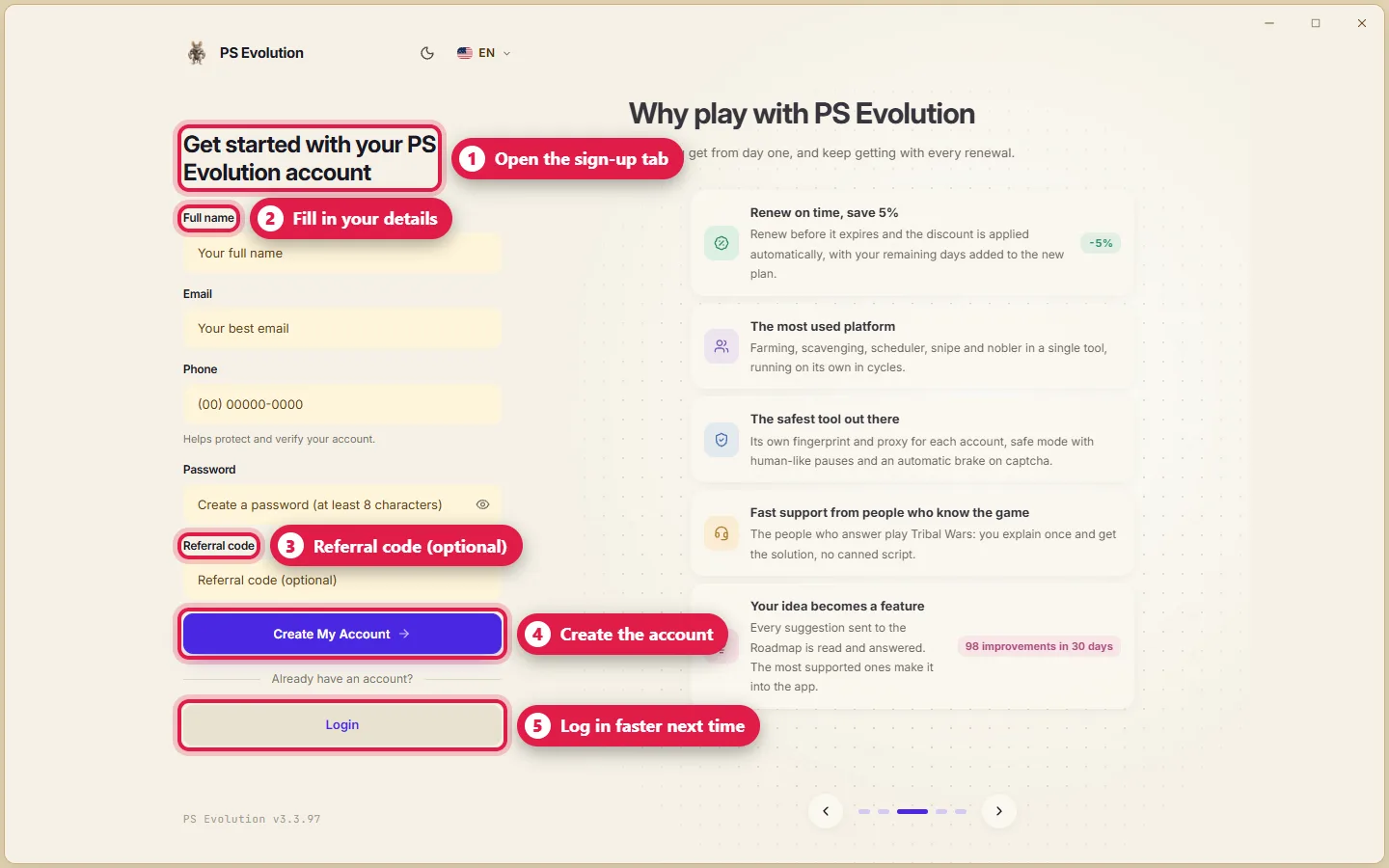
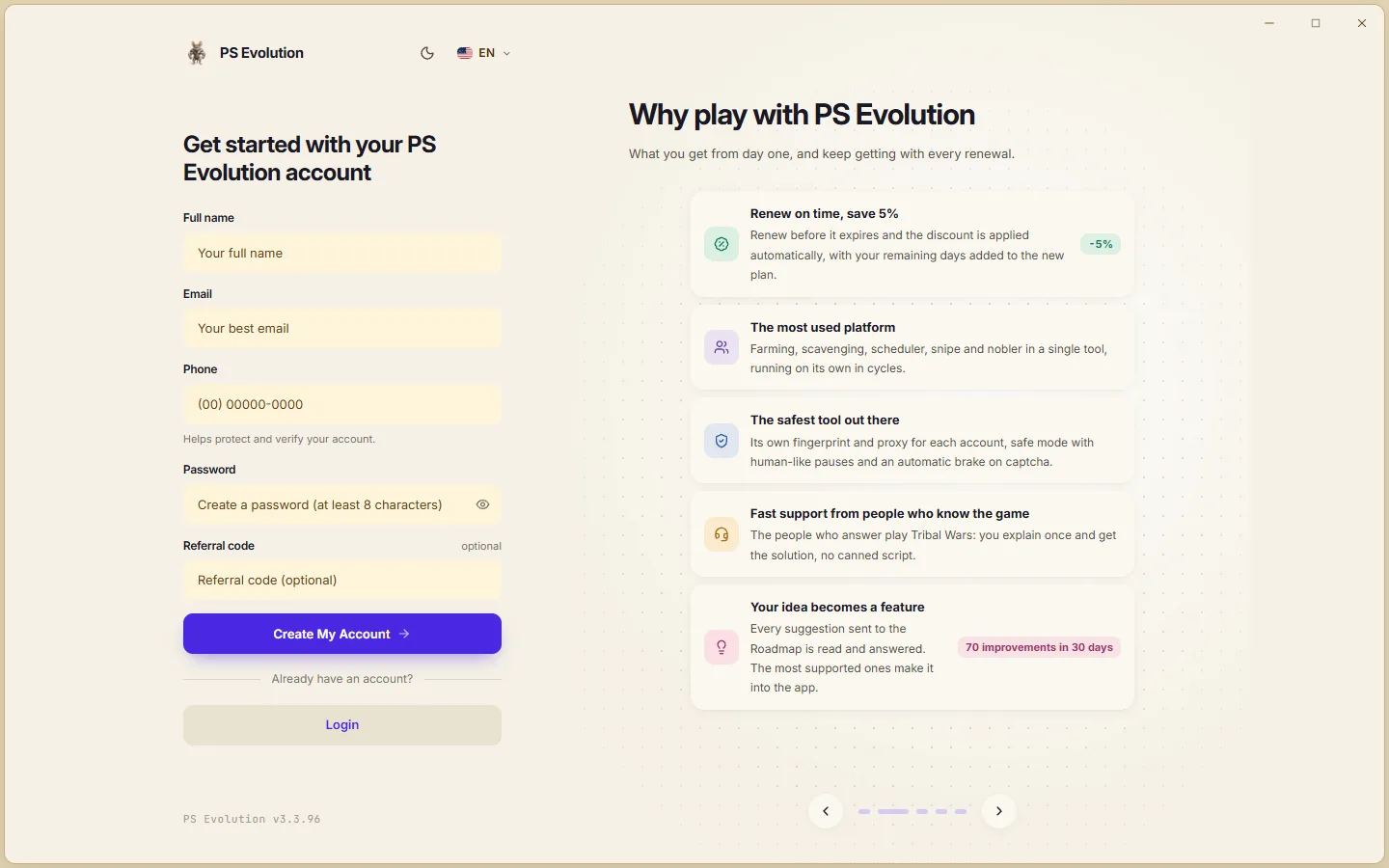
On the "Welcome back to PS Evolution" screen, below "New here?", click "Sign Up". The title changes to "Get started with your PS Evolution account".
Open the sign-up tab -
Fill in your details
Enter your "Full name" (at least 2 characters), "Email", "Phone" and "Password" (at least 8 characters). For the phone, use the number with your country code, starting with
+. -
Referral code (optional)
If a friend referred you, type their code in "Referral code". The app checks it right away: a valid code shows that you and your friend both get the bonus; a discount coupon tells you to use it on the payment screen; an unknown code does not stop you from signing up.
-
Create the account
Click "Create My Account". Once you are signed up, the app opens the plans screen. To use it without paying, start the free trial (see the free trial tutorial).
-
Log in faster next time
On the "Login" tab, turn on "Remember this account" so the account becomes a clickable card ("Saved accounts, click for faster access."). With "Log in automatically" on, the app logs you in when it opens. To remove a saved account, hover over its card and click the trash icon.
What each option does
| Option | What it is for |
|---|---|
| Remember this account | Saves your email and password on this computer and shows the account as a card on the login screen. |
| Log in automatically | Only works together with "Remember this account". The app logs you in when it opens, unless you clicked Logout. |
| Forgot your password? | Opens "Recover password": enter your email and click "Send recovery link". |
Tips
- Use an email you can access: the free trial code and the password reset link are sent there.
- One account works for the app, the customer area and the Multi Contas Expert inside the app.
Common problems
I get "Invalid email or password"
Make sure you are using your PS Evolution email and password, not your Tribal Wars login. If you do not remember the password, use "Forgot your password?".
I get "Password must be at least 8 characters."
Pick a password with 8 or more characters and click "Create My Account" again.
The recovery link did not arrive
After "Email sent!", check your spam folder too. The email is only sent if the address is registered.
I get "Sign-up is currently disabled"
Creating accounts in the app is temporarily turned off. If you already have an account, log in as usual on the "Login" tab.
See also
Do not have PS Evolution yet?
The download is free: download it, create your account inside the app and try everything for 24 hours, no card.